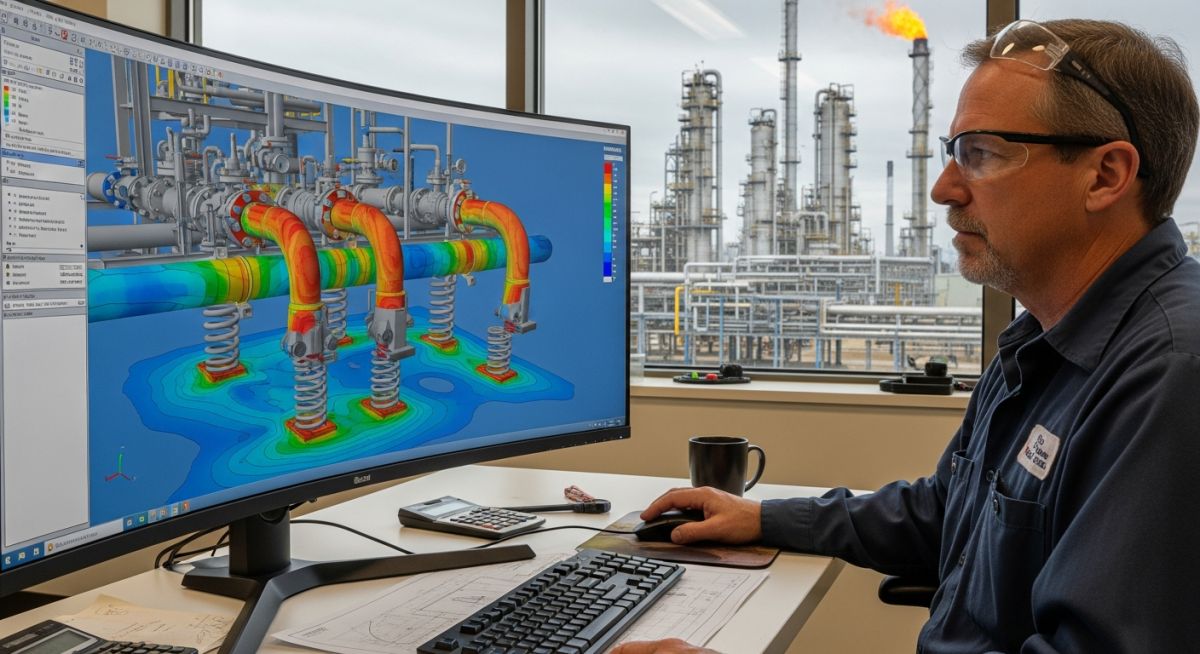
Top Piping Stress Analysis Software Packages for 2026
I have seen projects go off track not because the line routing was impossible, but because the piping stress analysis software was picked like a checkbox item. On the field, that mistake shows up fast: overloaded nozzles, support clashes, bad spring selection, missed thermal growth, and reports that look polished but hide weak assumptions.
When I review a stress model, I do not start with the brand name. I start with what the job is demanding from me. Is it a high-temperature steam header with spring hangers? A brownfield reroute with locked-in support locations? A compressor-connected system where dynamic behavior can punish every lazy shortcut? The answer changes the software decision.
In my experience, CAESAR II, AutoPIPE, ROHR2, CAEPIPE, and Start-Prof can all produce acceptable results in the right hands. But here is the catch, the software that feels comfortable in a simple flexibility check may become a bottleneck when nozzle qualification, occasional loads, buried assumptions, or deep reporting discipline enter the job.
Key Takeaways
- I do not rank piping stress analysis software by popularity alone. I rank it by how well it handles code compliance, nozzle loads, support strategy, thermal growth, and real project reporting.
- CAESAR II is widely used in EPC work because of code familiarity, broad acceptance, and strong project ecosystem support across teams and clients.
- AutoPIPE can be a strong fit when integration, usability, and plant workflows matter, especially where Bentley environments already shape project delivery.
- ROHR2 often stands out when dynamic analysis depth becomes more than a side requirement and starts driving design confidence.
- CAEPIPE and Start-Prof can offer practical value where budget, speed, and team familiarity matter, but I still verify whether their capability matches the project risk profile.
- The right decision is rarely “best software overall.” In the field, I look for the tool that matches the load cases, standards, client expectations, and reporting discipline of the specific job.
50-Word SGE Featured Snippet
Piping stress analysis software helps me verify code compliance, nozzle loads, thermal expansion, support loads, and dynamic behavior before fabrication. CAESAR II, AutoPIPE, ROHR2, CAEPIPE, and Start-Prof each fit different project needs. I choose based on load case depth, reporting quality, usability, code support, and lifecycle cost for project teams.
Piping Stress Analysis Software Retention Quiz
I use this short check to see whether the article logic is holding: software choice is never just brand comfort. It is about load cases, code fit, dynamic behavior, and what the field will expose.
Which factor usually drives my first software selection check on a real project?
For a high-temperature steam system, what usually needs close review beyond sustained stress?
When compressor-connected piping shows vibration risk, what software capability matters most?
Best Piping Stress Analysis Software List
I do not judge a piping stress platform by marketing language. I judge it by what happens when a real line starts moving, when equipment allowable loads are tight, when support friction changes the load path, and when a client asks me to explain why a model passes on paper but feels unsafe in a design review. In my experience, piping stress analysis software earns its place only when it lets me build a defensible model, review the right code equations, track displacement logic, and explain support behavior without hiding behind default settings.
The technical backbone of my review usually sits around the process pipe requirements of ASME B31.3 Process Piping or the steam and utility expectations of ASME B31.1 Power Piping. But here is the catch, code compliance alone does not save a weak model. I still need to know whether expansion moments were built correctly, whether guides were placed with a real purpose, whether sustained loads were reviewed with support loads, and whether occasional or dynamic cases were selected because the system truly needs them rather than because a template said so.
Piping Stress Analysis Software – CAESAR II
I see CAESAR II most often in EPC workflows, owner reviews, and consultant packages where client familiarity matters almost as much as the math itself. One reason is simple: many teams know how to read its outputs, check restraint summaries, interpret code stress lines, and question support reactions without retraining the entire project chain. That helps when project stakeholders include layout, supports, civil, rotating, static equipment, and client reviewers who need a common reporting language.
On the engineering side, I find it strong for broad code coverage, nozzle load review workflows, support extraction, nonlinear restraint handling, and practical flexibility study work. If I am checking a hot line that needs spring support selection, guide spacing discipline, and a clean report trail, it can fit that job well. But I never let familiarity reduce my skepticism. I still verify friction assumptions, support direction definitions, occasional load combinations, cold-to-hot movement signs, and whether the restraint logic matches what a fabricator can actually build.
Field warning: I have seen users trust default SIF handling, occasional case setup, and support idealization without checking whether the real geometry deserves a closer look. A neat CAESAR II output does not prove the line is safe. I still review branch connections, local stiffness assumptions, support gaps, and line stop intent before I accept the result.
Pipe Stress Analysis Software – AutoPIPE
I look at AutoPIPE seriously when the project sits in a broader Bentley-driven environment or when the delivery team values a smoother workflow around model handling and documentation. In practice, that can help where piping, supports, and plant-model coordination need cleaner continuity. I also find that many engineers like its interface behavior and how quickly they can navigate a model once they are trained well.
For me, the decision still comes back to engineering depth. I ask whether the load cases I need are clear, whether support actions are traceable, whether equipment connections can be checked the way the job demands, and whether the report package is client-ready without heavy manual cleanup. Usability helps, but I never let usability replace judgment. A fast model can still carry a bad restraint philosophy. In the field, I have seen that happen when guides are overused to suppress displacement on screen while load transfer to steel and nozzles quietly becomes worse.
Start-Prof as Piping Stress Analysis Software
I treat Start-Prof as a practical option when budget control, focused scope, and team familiarity shape the decision more than enterprise-level process expectations. On some jobs, that makes sense. Not every line class review needs the heaviest software stack in the market. If the system is straightforward, the support philosophy is simple, and the team knows the tool deeply, I can respect that choice.
But I am careful here. I check whether the platform covers the exact code environment I need, whether dynamic work is limited, whether nozzle load workflows stay efficient, and whether client acceptance is strong enough for the project. If a package saves money up front but adds review friction, manual workarounds, or reporting delays, the total project cost can rise instead of fall. I have seen that gap hit hardest when a routine static review turns into an equipment-load negotiation with the mechanical vendor.
Piping Stress Analysis Software – ROHR2
ROHR2 usually enters my shortlist when dynamic behavior starts becoming a real design driver rather than a box to tick. If I am looking at compressor-connected systems, vibration-sensitive routing, seismic interaction, or more advanced dynamic questions, I want software that gives me confidence beyond routine static flexibility checks. That is where I often hear strong respect for ROHR2.
I still keep the same discipline: the best dynamic features in the world cannot rescue a weak base model. Before I trust any modal or response-oriented work, I confirm support stiffness assumptions, equipment boundary conditions, masses, temperatures, friction treatment, line stop logic, and whether occasional and operating states were built consistently. Dynamic depth has value only when the input model reflects the system honestly.
Pipe Stress Analysis Software – CAEPIPE
I have seen CAEPIPE used where teams want speed, practical static analysis capability, and a lighter commercial footprint. That can be attractive for consultants, smaller organizations, or projects where the line systems are numerous but individually not too complicated. If the engineer knows the package well, a lot of productive work can get done quickly.
My filter stays the same: I match the package to the project risk profile. If the job is mostly conventional flexibility checks, standard support extraction, routine sustained and thermal review, and clean code compliance under familiar conditions, CAEPIPE can be a practical tool. But if the review begins drifting into high-end nozzle qualification, deeper dynamic questions, or client-mandated report formats, I check early whether the package will still serve the project cleanly. I would rather solve that gap at software selection stage than halfway through model approval.
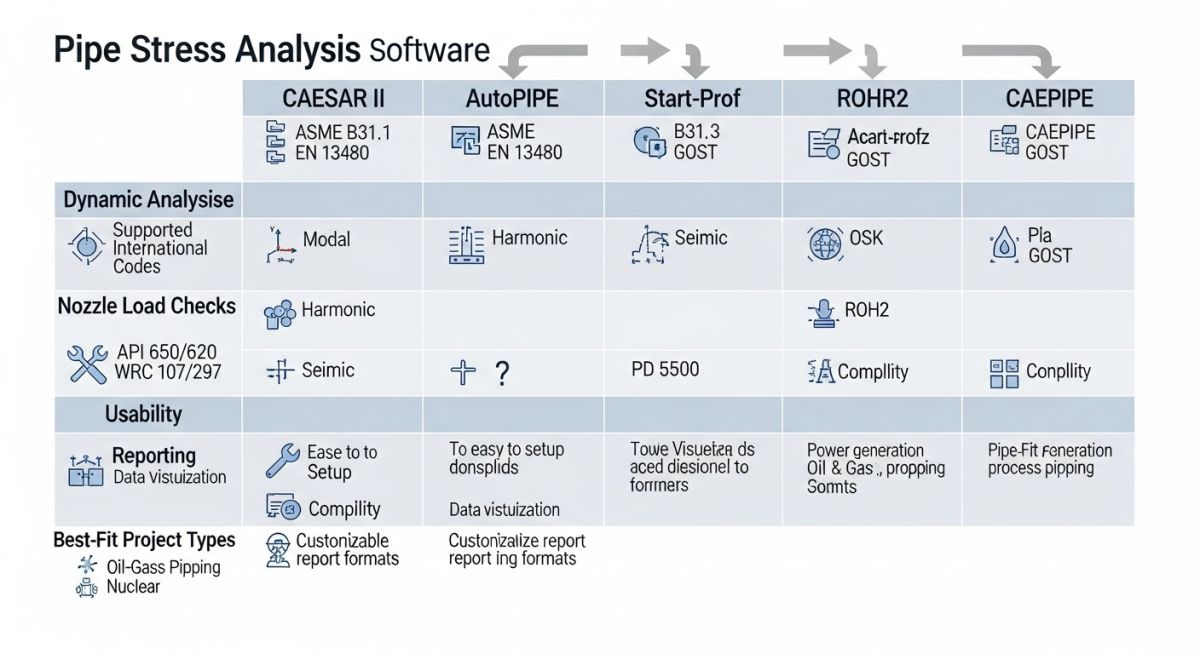
Other Piping Stress Analysis Software Packages
I do not limit my thinking to the five most commonly discussed names. On real projects, I sometimes see in-house tools, spreadsheet-based screening methods, finite element support from general-purpose solvers, and niche regional packages. These can help in very specific situations, especially when I want a quick route comparison, a support load estimate, or a local stiffness check that sits outside a normal pipe stress workflow.
But here is the catch, I separate screening tools from project-grade deliverable tools. A spreadsheet can help me estimate expansion movement. A local finite element study can help me understand a special support frame or a nonstandard connection detail. Neither automatically replaces a full pipe stress model with traceable load cases, restraint logic, code evaluation, and report accountability.
I also watch the governance side. If a client or licensor expects a known platform, I do not burn project time defending a less familiar tool unless I have a strong technical reason and a clear approval path. Software decisions are not only technical. They affect review speed, inter-discipline confidence, vendor conversations, auditability, and handover quality.
| Software | Where I Usually See It Fit Best | Code and Compliance Comfort | Dynamic Depth | Reporting and Review Flow | What I Watch Closely |
|---|---|---|---|---|---|
| CAESAR II | Large EPC work, client-reviewed deliverables, steam and process systems, broad consultant usage | Strong day-to-day acceptance for ASME B31.3 and ASME B31.1 workflows | Good for many project cases when model setup is disciplined | Widely readable by clients and inter-discipline reviewers | Default assumptions, restraint idealization, branch treatment, spring selection logic |
| AutoPIPE | Bentley-heavy environments, coordinated plant workflows, users who value interface efficiency | Comfortable when the team is trained and the review path is aligned | Project-dependent; I verify depth against the actual dynamic scope | Can be efficient where model continuity matters | Restraint philosophy, load path realism, whether speed is masking weak engineering review |
| ROHR2 | Projects where dynamic behavior is driving design confidence | Strong when the team knows how to build trustworthy boundaries and inputs | Often respected for deeper dynamic work | Good when the reviewer understands the output language and assumptions | Boundary conditions, masses, restraint stiffness, misuse of advanced features on a weak base model |
| CAEPIPE | Cost-sensitive work, efficient static reviews, teams comfortable with a leaner workflow | Practical for many routine code checks | I confirm limits early if the project is vibration-heavy or highly specialized | Fast for straightforward deliverables | Scope creep beyond routine flexibility work, client acceptance, advanced reporting expectations |
| Start-Prof | Teams balancing cost, scope control, and existing user familiarity | I verify code coverage and approval comfort before committing | Needs early fit-check when dynamic scope appears | Can work well if the project and client expectations are aligned | Workflow limits, manual workarounds, vendor-load and approval complexity |
Selecting the Piping Stress Analysis Software
I select software by starting with the line systems, not the license cost alone. My first check is load case reality. If the system is mostly sustained and thermal, my shortlist can stay broad. If nozzle loads are very tight, if support steel relocation is constrained, if buried assumptions are hard to control, or if the machinery team is already warning about vibration, my shortlist narrows fast.
Define the Risk Profile Before I Open the Model
I ask four questions early. What code governs the system? What failure mode hurts me most if I model it badly? Who must accept the report? How likely is it that the project scope will grow from simple flexibility into deeper equipment-load or dynamic review? If I cannot answer these questions, I do not really know what software I need.
- Code fit: I check whether the package matches the exact code environment and reporting style my client expects.
- System behavior: I look at thermal displacement shape, support strategy, friction sensitivity, and stiffness transitions near equipment and tie-ins.
- Approval chain: I ask whether licensors, contractors, or vendors are comfortable reviewing the outputs.
- Scope growth risk: I estimate whether the job may expand into dynamic work, special support logic, or tougher nozzle qualification.
Check Model-Building Speed Against Trustworthiness
I appreciate fast software. But I care more about what the speed is hiding. A model built quickly can still be wrong in a slow, expensive way. I want to know how easy it is to define restraints correctly, how clearly the software shows displacement direction, whether occasional cases can be audited without confusion, and how intuitive it is to catch a support load that looks physically impossible. If the tool is fast but opaque, the time saved early can turn into long review meetings later.
Evaluate Report Strength, Not Just Pass-Fail Output
I never stop at a green utilization ratio. I check whether the report lets me explain the line behavior. Can I point clearly to sustained stress, displacement stress range, occasional stress, reaction loads, restraint summaries, movement data, and load combinations? Can I trace why a nozzle is failing and what support move would reduce it? A pass-fail result is not enough. I need a story that survives a client challenge.
Plan for Support and Equipment Interfaces
Many software choices fail at the interfaces. The line itself may look fine, but the steel needs support loads in the right format, the rotating engineer needs usable nozzle load output, and the static team wants clear anchor or vessel connection data. I make sure the package fits those handoffs because bad interfaces create repeat work even when the stress run itself looks acceptable.
Field warning: I never choose software only because a team used it on the last job. The moment I hear “we always use this one,” I stop and examine whether the new project has different equipment loads, tighter brownfield constraints, dynamic risk, or a more demanding review chain. Repeated habit is not engineering evidence.
Remarks
My short rule is this: I pick the software that gives me the best engineering control for the real failure mode. If a line is likely to punish me through thermal growth and spring behavior, I focus there. If the real danger is nozzle overload at a pump, I make sure that interface review is efficient and transparent. If the system can resonate or react badly to machine excitation, I do not pretend a static-only comfort zone is enough.
In the field, software does not replace judgment. It only exposes the quality of it.
Piping Stress Analysis Software: Field Remarks From Real Projects
The Problem Statement
I worked through a brownfield revamp around a high-temperature steam tie-in where the project team wanted a quick routing approval because the available window for shutdown work was tight. The line had existing steel, limited support relocation freedom, a turbine-adjacent connection with tight nozzle expectations, and enough thermal movement to create real load transfer problems if I guided the line too aggressively.
The early routing looked acceptable in a layout review, but when I challenged it as a stress system, I saw three risk points immediately: the support layout was trying to suppress movement instead of directing it, the spring behavior had not been studied with enough discipline, and the tie-in boundary was being treated as much stiffer than I was willing to assume without evidence.
The Action & Analysis
I rebuilt the system logic starting from operating temperature, anchor intention, and true movement path rather than from the draft support sketch. My first pass was not to chase a pass result. My first pass was to understand the line. I checked cold and hot positions, looked at vertical growth, reviewed where friction would resist expansion, and tested whether nearby restraints were creating artificial stiffness near the turbine side.
I then compared what different software environments would mean for the job. A routine static package could probably show me a pass-fail status on the pipe stresses, but this project needed more than that. I needed clear support adjustment iterations, readable nozzle load tracking, and enough confidence to explain every support move to layout and structural teams. That pushed me toward a package and workflow that the broader review chain could read quickly and trust.
My engineering sequence looked like this:
- I defined sustained, operating, expansion, and occasional cases with careful attention to sign direction and restraint state.
- I reviewed support reactions in the cold and hot conditions to identify supports that were carrying load in one state and unloading badly in another.
- I tested guide relocation and stop spacing to release locked-in thermal moments without letting the line drift into instability.
- I reviewed spring locations only after the line movement pattern made physical sense.
- I checked the equipment connection loads after every support strategy change rather than leaving that review to the end.
- I used report snapshots and restraint summaries to explain each iteration to the rest of the team so that the stress model stayed tied to buildable decisions.
But here is the catch, the breakthrough did not come from adding more restraints. It came from removing one poorly placed guide, relaxing a false stiffness assumption near the tie-in, and moving a support location so the thermal growth found a cleaner path. Once I did that, the displacement shape became believable, the support loads stabilized, and the turbine-side connection stopped behaving like a locked frame.
The Metric Outcome
- I reduced the controlling nozzle load group to a level the rotating team could work with instead of reject outright.
- I cut support rework by solving the movement path before issuing final support intent.
- I avoided a late-stage spring revision cycle by validating hot travel early.
- I converted a “pipe stress passed” narrative into a defensible field-ready story that layout, structural, and equipment teams could all review without interpretation gaps.
Field Lesson Learned Sign-Off
I never let software selection happen after the support philosophy is already frozen. If the software cannot help me explain movement, support intent, and equipment protection while the routing is still changeable, I am already late. My direct recommendation is simple: choose the platform that lets me challenge assumptions early, not the platform that prints the prettiest report after the mistakes are locked in.