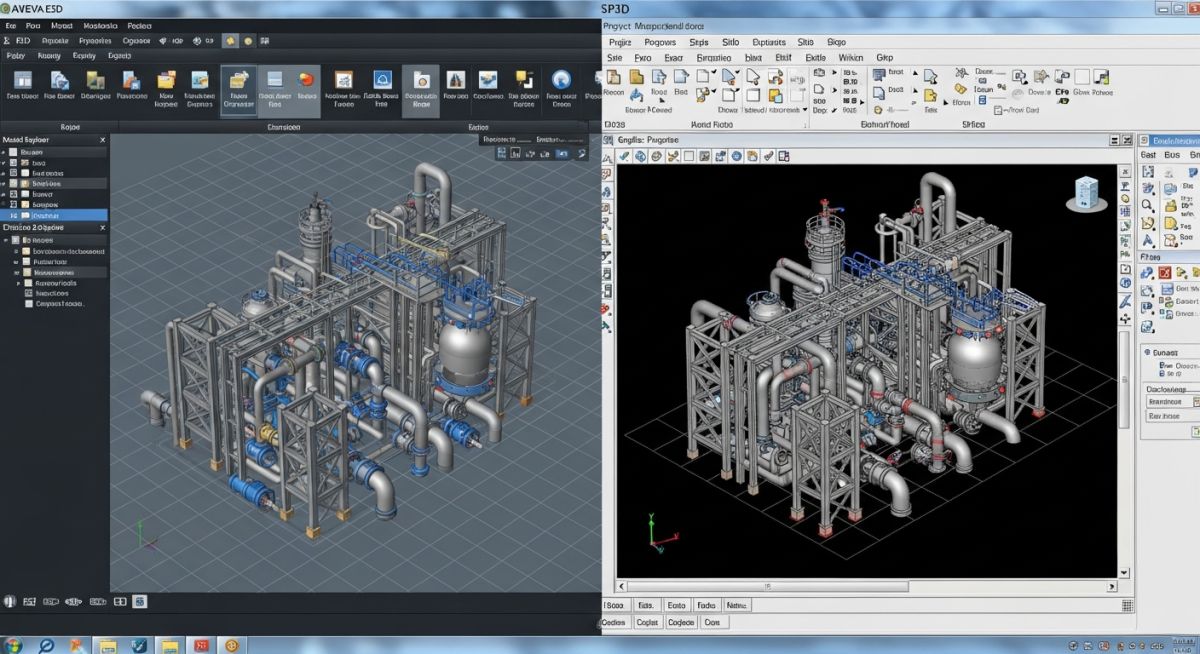
E3D vs SP3D: Which Plant Design Software Wins?
In my 20+ years of executing mega-scale piping and plant design projects, I have stood at the crossroads of software selection more times than I can count. Whether designing a complex offshore topsides facility or a sprawling petrochemical refinery, the choice of 3D modeling software dictates your entire project execution strategy. The debate of E3D vs SP3D is not merely about user interfaces or button placements; it is a fundamental choice between two distinct engineering database philosophies.
AVEVA E3D (formerly PDMS) and Intergraph SP3D (Smart 3D) are the undisputed titans of the industrial plant design world. Having managed multi-disciplinary teams using both platforms, I have seen how database structures, graphics rendering, and customization capabilities directly impact engineering man-hours and deliverable quality. Let us dissect these systems from a practical, boots-on-the-ground engineering perspective.
Key Takeaways from a Piping Expert
- Database architecture is the single biggest differentiator, impacting multi-user synchronization and network latency.
- AVEVA E3D excels in graphics performance and rapid drawing generation, making it highly efficient for fast-track projects.
- Intergraph SP3D offers unparalleled rule-based design automation, preventing modeling errors before they reach the field.
- Both platforms require specialized administration, but SP3D demands a more robust relational database infrastructure (Oracle or SQL Server).
Why E3D vs SP3D Database Architecture Matters
To truly understand the performance differences, we must look under the hood. AVEVA E3D relies on the DABACON (Database for Computer Aided Design) engine. This is a hierarchical, object-oriented database designed specifically for engineering data. Because it is hierarchical, navigating the model tree (World to Site to Zone to Pipe to Branch to Component) is incredibly fast. Data is loaded into memory, allowing for instantaneous queries and modifications.
In contrast, Intergraph SP3D is built on a relational database management system (RDBMS), typically Oracle or Microsoft SQL Server. Every 3D object, relationship, and attribute is a row in a table. While this allows for powerful SQL querying and seamless integration with other enterprise databases, it introduces significant transaction overhead.
In my experience, executing global workshare projects on SP3D requires a highly stable, low-latency network connection to the database server. High latency (above 50 milliseconds) can cause severe lagging during component placement, as every action requires a round-trip SQL transaction. E3D, with its local caching and delta-based synchronization, handles high-latency networks much more gracefully.
Quantifying Database Transaction Overhead
Let us look at a practical example. When a piping designer modifies the rating of a flange in a 3D model, the software must update multiple attributes.
In AVEVA E3D, the DABACON database serializes this change as a direct attribute modification on the specific element node. The data payload size (D_size) can be estimated as:
D_size = N_attrib * 128 bytes
Where N_attrib is the number of modified attributes. For a simple rating change, only 2 or 3 attributes are modified, resulting in a payload of less than 500 bytes.
In Intergraph SP3D, the same modification triggers updates across multiple relational tables to maintain referential integrity. The transaction payload (T_size) is calculated as:
T_size = Sum(R_row * W_width) * Overhead_Factor
Where R_row is the number of affected rows across tables like JPPipeComponent and JPRelation, W_width is the column width, and the Overhead_Factor accounts for transaction logging and index updates (typically 1.5 to 2.0). This can result in a network payload exceeding 5 to 10 kilobytes for a single component modification, explaining the higher bandwidth demand of SP3D.
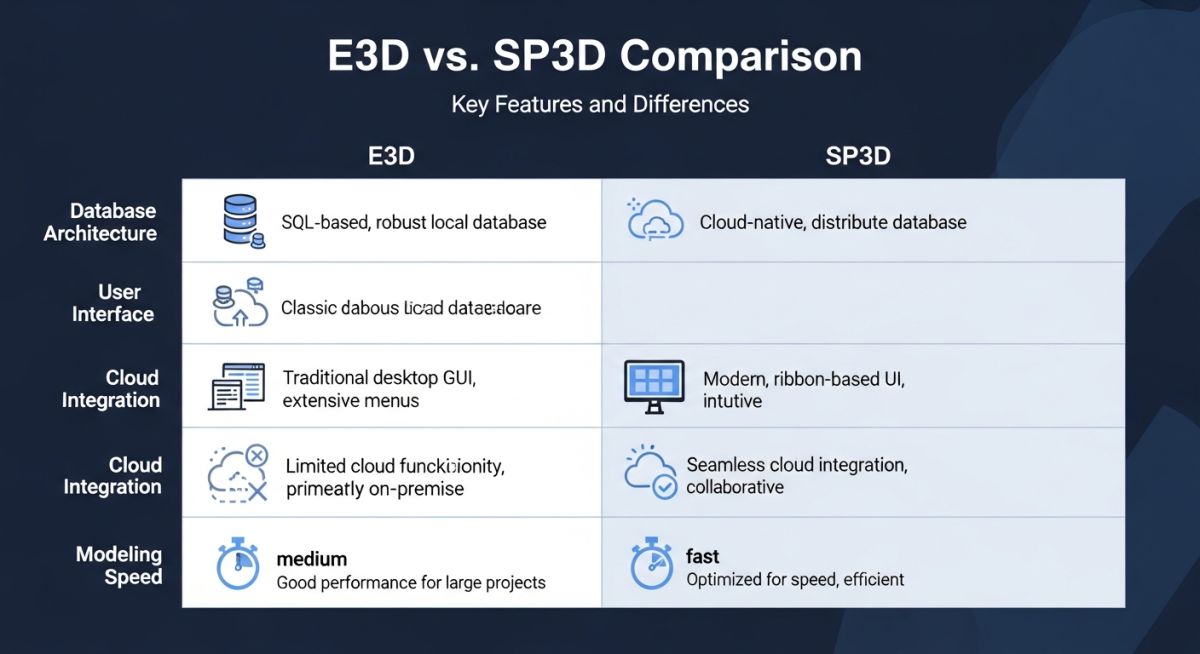
Core Technical Differences in E3D vs SP3D
To help engineering managers and IT administrators make informed decisions, I have compiled a comprehensive performance matrix based on real-world project execution data. This table compares the critical operational parameters of both platforms.
| Feature / Parameter | AVEVA E3D | Intergraph SP3D |
|---|---|---|
| Database Engine | Proprietary DABACON (Hierarchical) | Oracle or MS SQL Server (Relational) |
| Graphics Engine | DirectX 11 / 12 (High FPS rendering) | OpenGL (Legacy) / Smart 3D Graphics Engine |
| Customization Language | PML (Programmable Macro Language) & .NET (C#) | Visual Basic .NET (VB.NET) & C# |
| Clash Detection | Clash Manager (Interactive & Batch) | Database-driven Interference Detection Service |
| Drawing Extraction | Draw Module (Highly automated, fast) | Drawings and Reports (Template-heavy, robust) |
| Global Workshare | AVEVA Global (Hub & Spoke replication) | Golden Site / Shadow Site database replication |
Technical Mapping & Specifications Matrix
The following matrix maps the core technical entities and structural acronyms used in both systems, aligned with international standards like ASME B31.3 and ISO 13703.
| Entity / Concept | AVEVA E3D Terminology | Intergraph SP3D Terminology | Applicable Standard |
|---|---|---|---|
| Piping Specification | Catalogue & Specifications (CATA/SPEC) | Reference Data (RefData) / Catalog | ASME B31.3 / ASME B16.5 |
| Equipment Modeling | EQUI / Sub-Equipment primitives | Equipment Task / Parametric Shapes | API 650 / ASME Section VIII |
| Structural Steel | MDS (Multi-Discipline Structural) | Structure Task / Member Systems | AISC 360 / ISO 19902 |
| Isometric Output | Isodraft (utilizing ISOGEN engine) | Isometrics Task (utilizing ISOGEN engine) | ISO 128 / ASME Y14.3 |
How to Select the Right Design Platform
Before kicking off a multi-million dollar engineering phase, I highly recommend running through this technical readiness checklist. This ensures your infrastructure, licensing, and personnel are aligned with the chosen platform.
Project Readiness & Software Alignment Checklist
-
Client Specifications Review: Verify if the owner-operator has a mandated software delivery format. Many major oil and gas operators have standardized databases that require native delivery in either E3D or SP3D format.
-
Database Administrator (DBA) Availability: Ensure you have dedicated DBAs. SP3D requires deep Oracle/SQL Server expertise for schema maintenance, while E3D requires specialized AVEVA System Administrators for DABACON management.
-
Network Infrastructure Validation: Measure latency between global execution centers. If latency exceeds 50ms, prioritize AVEVA E3D with Global Hub replication, or set up robust Citrix/VDI environments for SP3D.
-
Reference Data & Catalog Readiness: Confirm the availability of pre-built piping catalogs. Building a catalog from scratch to comply with ASME B31.3 can take 3 to 6 months of dedicated effort.
-
Integration Requirements: Map out downstream integrations. If the project relies heavily on SmartPlant Enterprise tools (SPI, SPEL, SPPID), SP3D offers native, out-of-the-box integration.
Field Case Study: Real-World Application
The Problem: Multi-Discipline Coordination Bottlenecks
During a fast-track offshore topsides project with over 12,000 piping lines, the engineering partner was forced to use Intergraph SP3D due to client specifications. However, the engineering team’s core expertise lay in AVEVA PDMS/E3D. The project was executed across three global locations (Houston, Mumbai, and London). Due to poor database replication setup and high network latency (averaging 120ms), designers experienced 3-second delays for every component placed. This led to a 25% drop in modeling efficiency, severe database synchronization lags, and hundreds of uncoordinated clashes in the structural-piping interfaces.
The Outcome: Strategic Migration & Optimization
Recognizing the critical threat to the project schedule, I recommended migrating the topsides modeling to AVEVA E3D. We utilized AVEVA Global to set up a hub-and-spoke replication system. The local caching mechanism of E3D completely bypassed the network latency issue, restoring instantaneous modeling response times. We extracted isometric drawings directly using the E3D Draw module, which reduced drawing production time by 35%. The project was successfully delivered on schedule, with field rework due to piping clashes dropping to less than 0.5%, well below the industry average of 2%.
My direct recommendation from this experience is clear: never force a software platform on a team that lacks the specific administrative and execution expertise, unless you have budgeted at least 6 months for training and infrastructure optimization.
Frequently Asked Engineering Questions
Which software is easier to learn for a piping designer?
Can AVEVA E3D open Intergraph SP3D models directly?
How do E3D and SP3D handle isometric drawing generation?
What are the database administration differences between the two?
Which platform is better suited for offshore oil and gas projects?
How do licensing costs compare between E3D and SP3D?
===
Complete Course on
Piping Engineering
Check Now
Key Features
- 125+ Hours Content
- 500+ Recorded Lectures
- 20+ Years Exp.
- Lifetime Access
Coverage
- Codes & Standards
- Layouts & Design
- Material Eng.
- Stress Analysis