What is Navisworks? Components, Versions, and Navisworks Software Functions
Navisworks Software Functions serve as the backbone of modern BIM coordination by allowing engineers to combine design data from various sources into a single federated model. In 2026, understanding how these functions optimize clash detection and construction scheduling is essential for project delivery excellence.
Key Definition
Navisworks Software Functions provide a comprehensive project review solution for AEC professionals. Its core capabilities include federating large 3D models from disparate CAD formats, performing automated clash detection, and creating 4D construction simulations. It enables teams to identify design conflicts before construction begins, significantly reducing rework and onsite costs in 2026 projects.
Technical Assessment: Navisworks Competency
Question 1 of 5
Complete Course on
Piping Engineering
Check Now
Key Features
- 125+ Hours Content
- 500+ Recorded Lectures
- 20+ Years Exp.
- Lifetime Access
Coverage
- Codes & Standards
- Layouts & Design
- Material Eng.
- Stress Analysis
What is Navisworks in the 2026 BIM Ecosystem?
In the 2026 digital construction landscape, Navisworks stands as the premier project review software used to facilitate BIM Coordination Workflows across global engineering teams. Unlike authoring tools such as Revit or Civil 3D, Navisworks acts as a high-performance aggregator. It allows stakeholders to open and combine large 3D models from various CAD platforms into a single environment without overwhelming hardware resources.
By leveraging its unique ability to handle massive datasets, Navisworks Software Functions enable real-time navigation and visualization of complex systems. This capability is critical for large-scale infrastructure projects where structural, MEP (Mechanical, Electrical, Plumbing), and architectural models must be verified simultaneously to prevent site-level errors.
Core Navisworks Software Functions for Engineering
The technical prowess of this platform lies in its specialized Navisworks Software Functions. These functions are designed to bridge the gap between design and construction, ensuring that the theoretical model is buildable in the real world.
Clash Detection Analysis
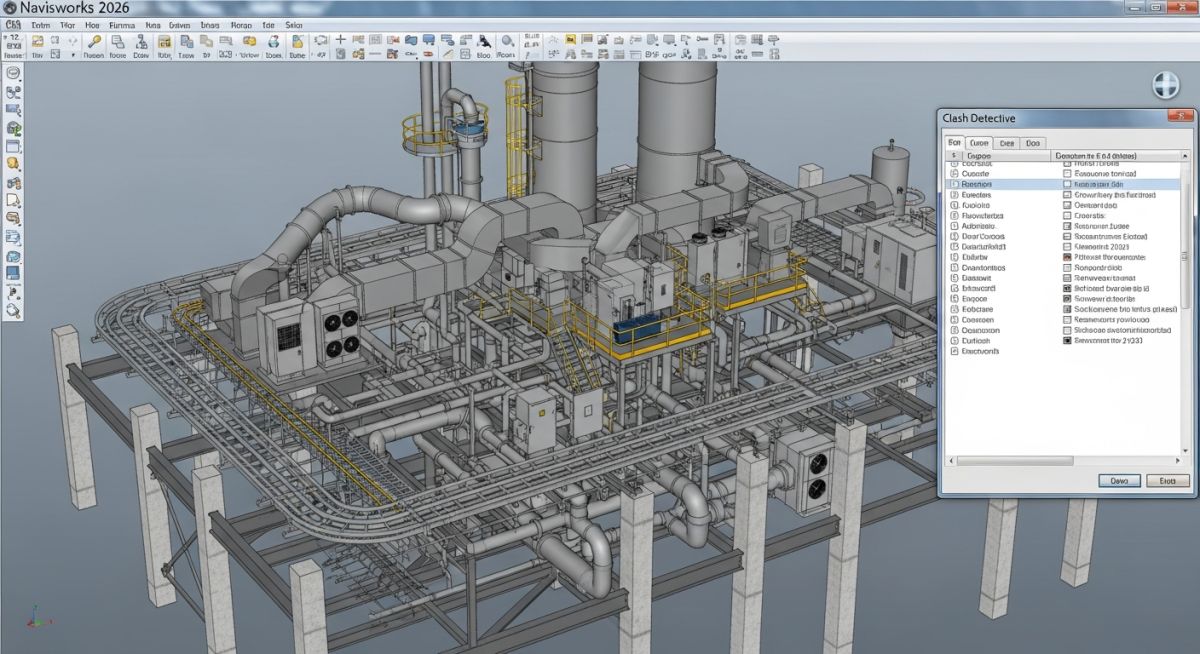
The most powerful of all Navisworks Software Functions is the Clash Detective. This tool allows engineers to perform automated Clash Detection Analysis, identifying hard, soft, and duplicate interferences. For example, it can detect if a HVAC duct is physically intersecting a structural beam (Hard Clash) or if there is insufficient clearance for maintenance access around an electrical panel (Soft Clash).
4D Construction Simulation
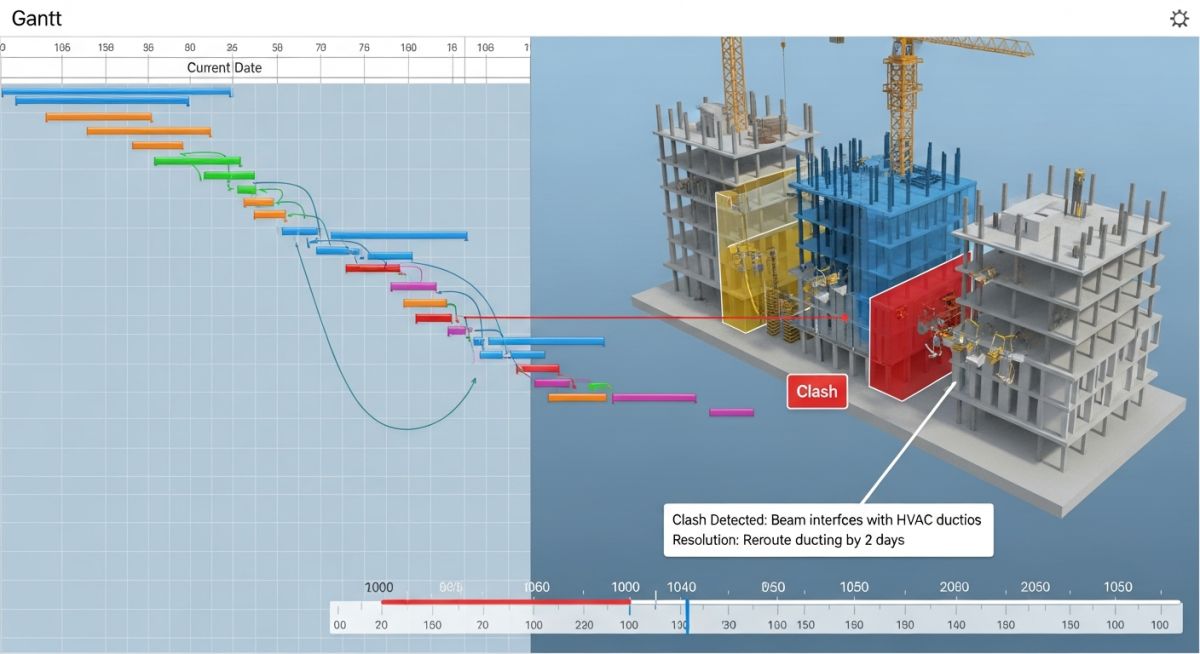
Beyond 3D space, Navisworks integrates the time dimension. Through 4D Construction Simulation, project managers can link the 3D model geometry to project schedules (such as Oracle Primavera P6 or Microsoft Project). This allows teams to visually simulate the entire construction sequence, identifying logistical bottlenecks before equipment arrives on site.
Quantification and Takeoff
Quantification is another vital Navisworks Software Function. It enables automated building material takeoffs by extracting data directly from the aggregated models. This ensures high accuracy in cost estimation and procurement by utilizing the Federated Model Integration data rather than manual measurements.
Comparing Navisworks Software Versions: Manage vs. Simulate
Choosing the right version depends on the specific Navisworks Software Functions required by the project role. While all versions support model aggregation, certain high-end features are reserved for specific licenses.
Navisworks Manage
The flagship version. It includes all Navisworks Software Functions, most importantly the Clash Detective. Essential for BIM Managers and Lead Coordinators in 2026.
Navisworks Simulate
Supports 4D scheduling, visualization, and quantification. However, it lacks automated clash detection. Ideal for schedulers and project planners.
Navisworks Freedom
A free 3D viewer. It allows stakeholders to open NWD files to review the model and comments, but cannot create new files or run simulations.
Compliance with international standards like ISO 19650 often mandates the use of Navisworks Manage during the coordination phase to ensure a clash-free Common Data Environment (CDE).
Essential Components of Navisworks Architecture
The architecture of Navisworks is built around the concept of Federated Model Integration. In 2026, the core engine is designed to handle “streaming” geometry, which means it only loads the data visible to the user, allowing for the inspection of multi-gigabyte models on standard engineering workstations.
The Navisworks Graphics Engine
The graphics component utilizes advanced occlusion culling. This ensures that Navisworks Software Functions like real-time walkthroughs remain fluid, even when the model contains millions of polygons from various sources such as Revit, Inventor, and SolidWorks.
Navisworks Software Functions for File Interoperability
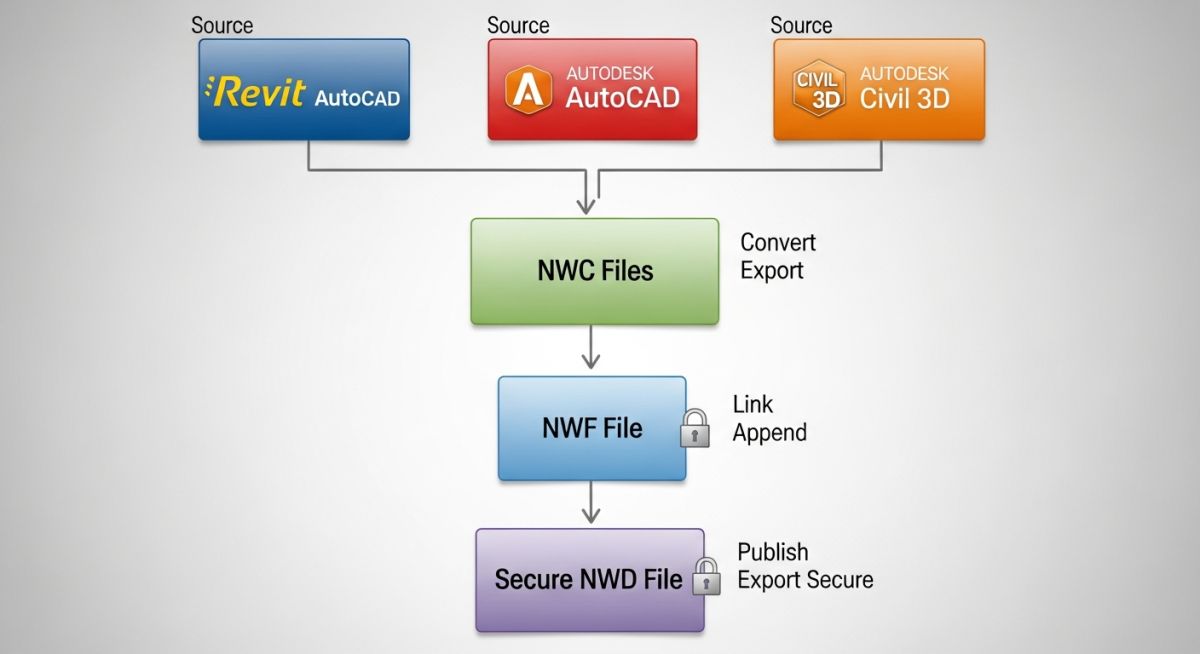
Interoperability is the primary reason for the software’s industry dominance. The Navisworks Software Functions rely on three distinct file formats to manage data integrity and file size during the BIM lifecycle.
| Format | Technical Description | Primary Function |
|---|---|---|
| .NWC | Cache file generated from native CAD geometry. | Fast loading of original design data. |
| .NWF | Federated file containing links, not geometry. | Active coordination and live project management. |
| .NWD | Published, self-contained data snapshot. | Client handover and stakeholder review. |
Math for Quantification: The Area Logic
One of the critical Navisworks Software Functions involves calculating surface areas for painting or insulation. The software uses the following logic to derive net areas from 3D meshes:
Engineers must ensure that the NWC export settings are configured to include internal properties, or the 3 volumes and 2 areas may report incorrectly in the Quantification Workbook.
Strategic Advantages of Navisworks Software Functions in Construction
- ● Reduced On-site Rework: By using Clash Detection Analysis, projects in 2026 report up to a 15% reduction in field change orders.
- ● Enhanced Safety Planning: 4D simulations allow safety officers to visualize crane swings and hazardous zones before work commences.
- ● Hardware Efficiency: Unlike Revit, Navisworks can open a 500MB federated model with minimal RAM usage, enabling mobile onsite reviews.
Navisworks Software Functions: ROI Calculator
Estimate the potential cost savings from implementing automated clash detection in your 2026 project.
Estimated Cost Avoidance
USD 0
Risk Reduction Factor
0%
Note: Calculations based on 2026 industry averages where an unresolved hard clash costs approximately USD 3,500 in field rework.
Don’t miss this video related to Piping Engineering

Summary: Master Piping Engineering with our complete 125+ hour Certification Course: ……
Case Study: Optimizing Navisworks Software Functions for the 2026 Neo-Metro Project
Project Data
- Project Type: Subterranean Transit Hub
- Scale: 45,000 Square Meters
- Software Stack: Navisworks Manage 2026, Revit, Civil 3D
- Key Objective: Zero-tolerance clash coordination for high-pressure fire suppression systems.
Failure Analysis
During the initial design phase, the MEP team identified over 450 critical “Hard Clashes” between the structural diaphragm walls and the main ventilation shafts. Without utilizing advanced Navisworks Software Functions, these errors would have remained undetected until the concrete pouring phase, resulting in an estimated delay of 14 weeks.
Engineering Fix & Lessons Learned
The coordination team implemented a Federated Model Integration strategy, running weekly “Clash Reports” filtered by discipline. By using the Switchback function, designers resolved clashes directly in Revit from the Navisworks environment.
Primary Outcome
98% reduction in field RFIs related to spatial coordination.
Efficiency Gain
Automated 4D sequencing reduced crane idle time by 22%.